How to Request Combined Shipping on eBay
If you buy more than one card from PepeJF Emporium on eBay, you can often reduce shipping costs by requesting a combined invoice before you pay. Follow these steps to combine multiple purchases from a Canada-based seller.
1
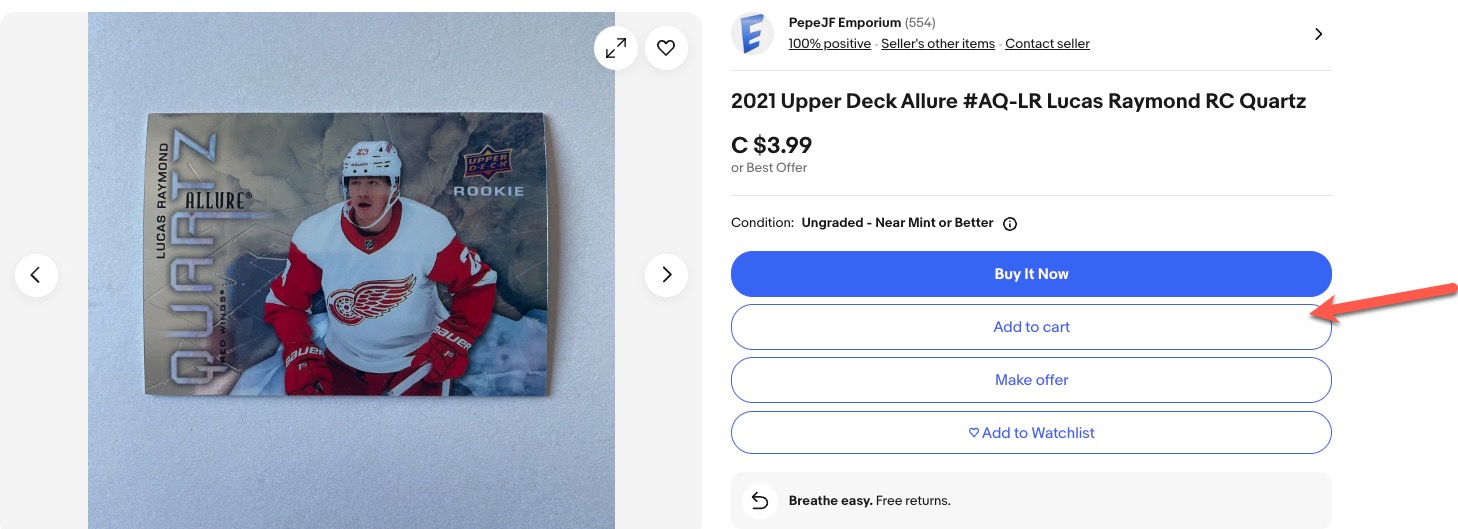
Add all desired items to your eBay cart.
You can do this by clicking “Add to cart” on each listing.
2
Once you are done shopping, open your cart.

3
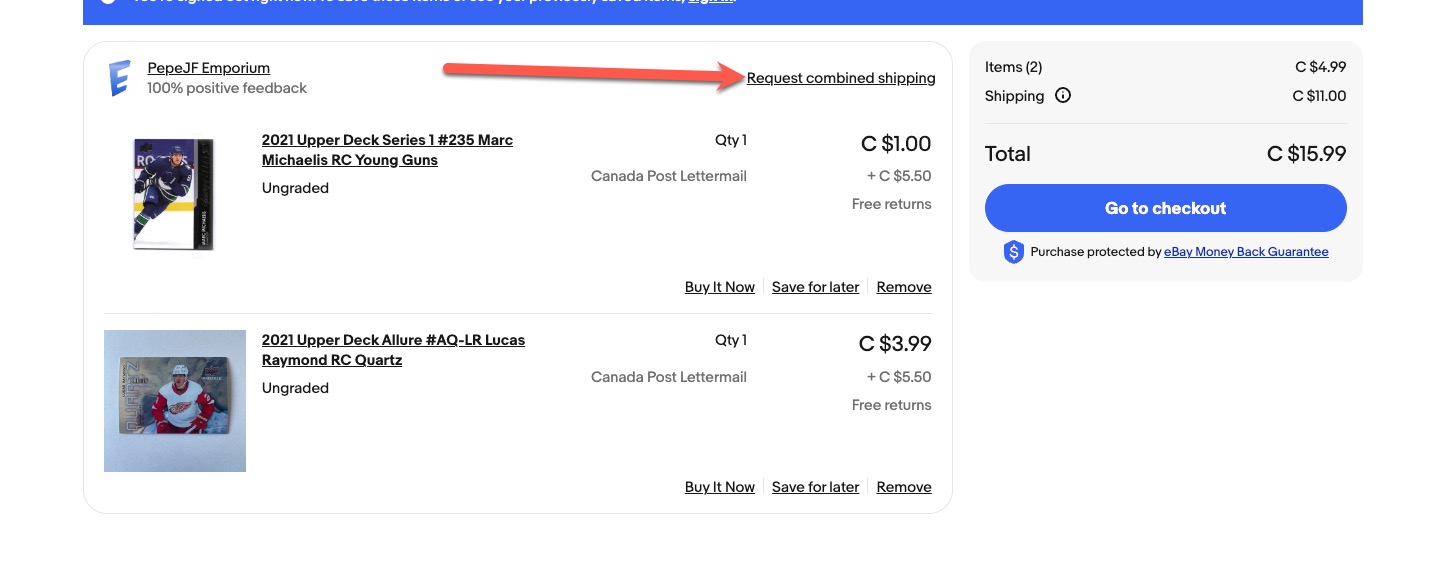
From your cart screen, click on “Request Combined Shipping”.
This lets the seller know you want one updated invoice for the full order.
4
Wait for the revised invoice.
Once shipping is adjusted for the combined order, you will receive an updated invoice through eBay.
5
Pay the updated invoice.
Complete checkout as usual and enjoy the lower combined shipping total.
If you have questions, you can contact PepeJF Emporium on eBay.